Friday, January 3, 2020

22 famous graphic design quotes to inspire you

Wherever you are on your graphic design journey, we all need guidance from time to time as we navigate the murky waters of creativity. What better place to look than the quotes of famous designers? After all, these men and women didn’t become icons of their industry without solving a problem or two along the way.

Here, we’ve gathered 22 famous design quotes by the top graphic designers of our time. Each reflects the past trials, pitfalls, roadblocks and triumphs of designers who eventually came out on top. Heed their words, and you just might follow in their footsteps.

1. Milton Glaser

“There are three responses to a piece of design – yes, no, and WOW! Wow is the one to aim for.” – Milton Glaser

Milton Glaser is a longtime famed graphic designer and cofounder of New York magazine. His iconic designs include DC Comics’ logo, Obama’s 2009 campaign poster, and the I ❤ NY logo.

Photo of Milton Glaser
via It’s Nice That
Abstract poster designAbstract poster design

2. Susan Kare

“Good design’s not about what medium you’re working in. It’s about thinking hard about what you want to do and what you have to work with before you start.” – Susan Kare

Susan Kare, one of the very first pixel artists, designed the first icons, typefaces, and interfaces of the Apple Macintosh.
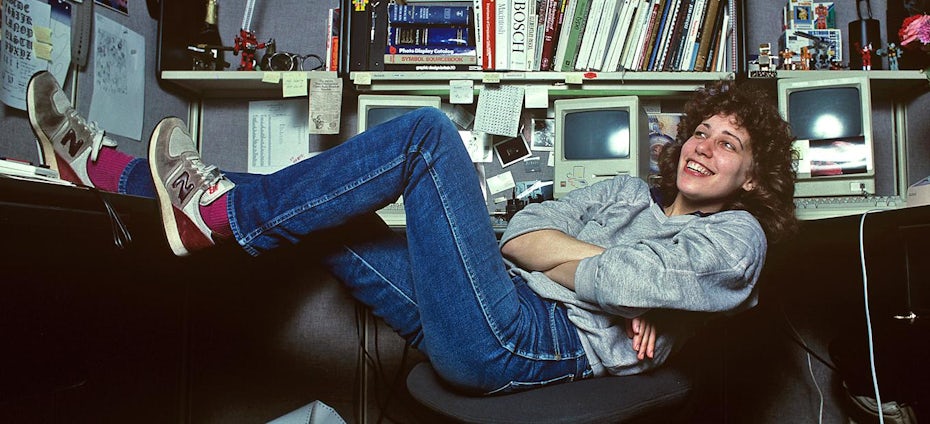
Photo of Susan Kare
via Susan Kare
Apple icons designed by Susan Kare
via Susan Kare

3. Stefan Sagmeister

“You can have an art experience in front of a Rembrandt… or in front of a piece of graphic design.” – Stefan Sagmeister

Stefan Sagmeister is the cofounder of design agency Sagmeister & Walsh and is perhaps best known for his work in the music industry, including designs for the Rolling Stones, Lou Reed, David Byrne and more.

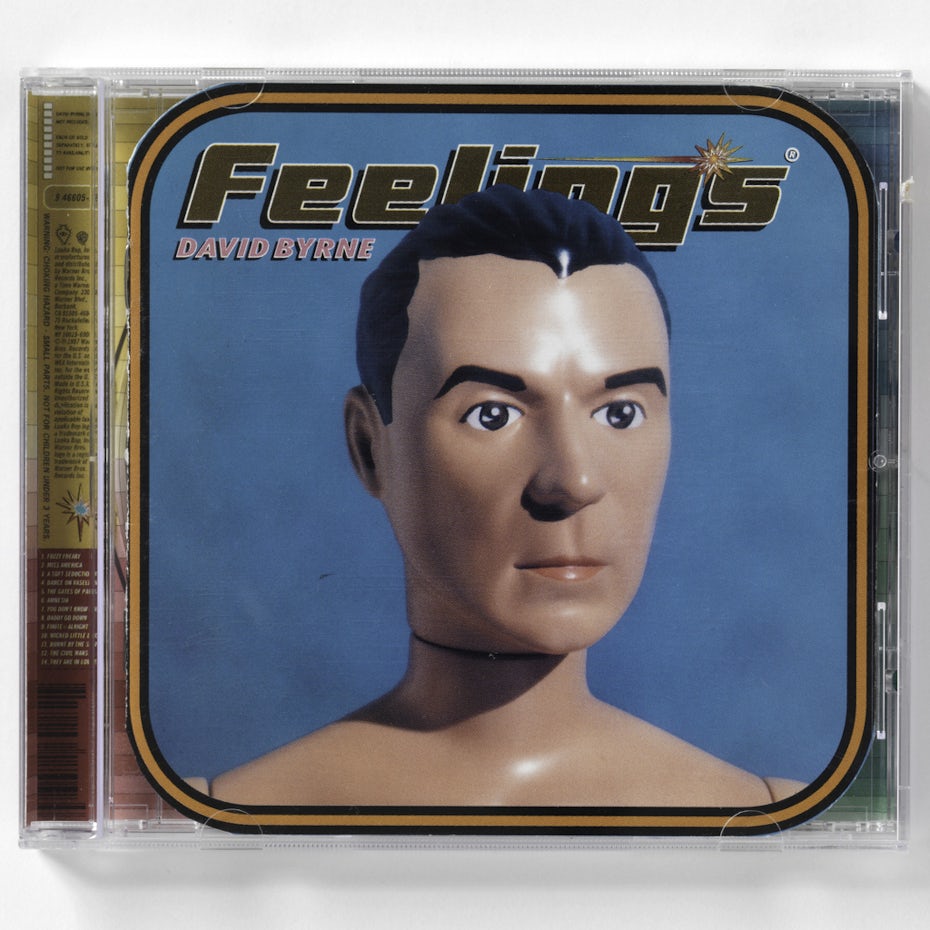
Photo of Stefan Sagmeister
via Sagmeister INC.
David Byrne Feelings album coverRolling Stones Bridges to Babylon album cover design

4. Jessica Walsh

“If no one hates it, no one really loves it.” – Jessica Walsh

The other half of Sagmeister & Walsh (made partner at the tender age of 25), Jessica Walsh started her career interning at Pentagram under Paula Scher and has contributed work for Levi’s, Adobe, and Print magazine.

Photo of Jessica Walsh
via &Walsh
Poster design by Jessica Walsh

5. Bob Gill

“I’ve never had a problem with a dumb client. There is no such thing as a bad client. Part of our job is to do good work and get the client to accept it.” – Bob Gill

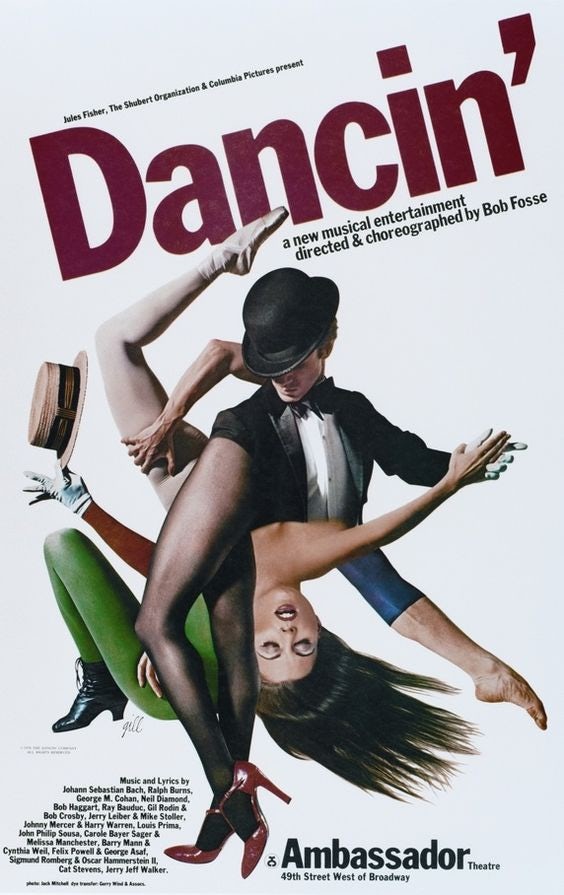
Bob Gill is a longtime illustrator for magazines Glamour, Esquire, Fortune and the cofounder of F/F/G which later became design powerhouse Pentagram.
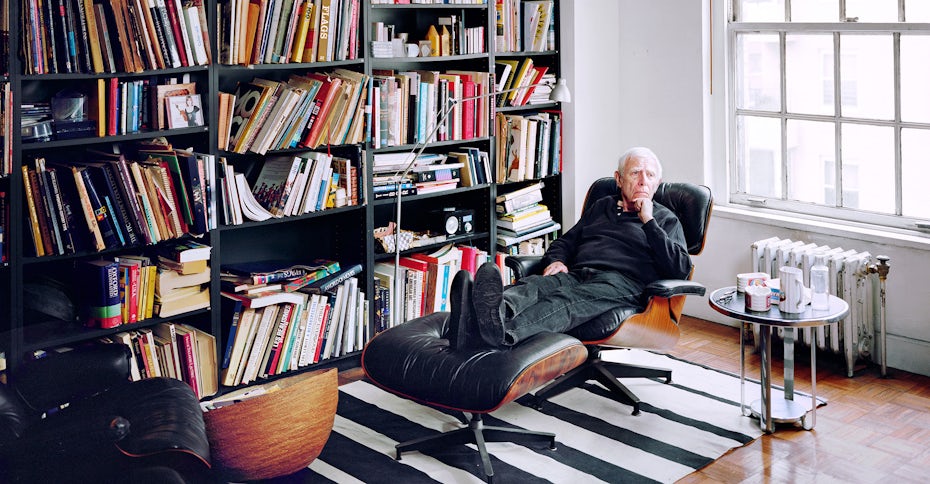
Bob Gill
via It’s Nice That
Dancin' Bob Fosse playbill poster by Bob Gill'...and justice for all' Al Pacino movie poster designed by Bob Gill
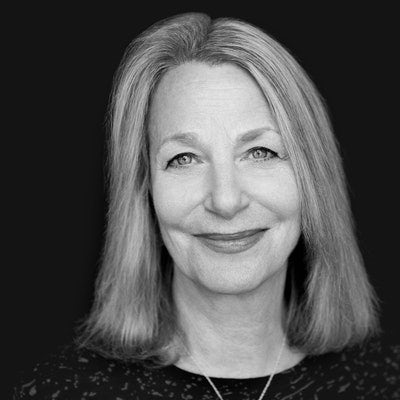
Photo of Paula Scher
via Pentagram

6. Paula Scher

“It’s through mistakes that you actually can grow. You have to get bad in order to get good.” – Paula Scher

Paula Scher, a partner at Pentagram, is an identity designer known for her bold use of street typography, particularly for projects concerning The Public theater, the Museum of Modern Art, and the Windows 8 logo.

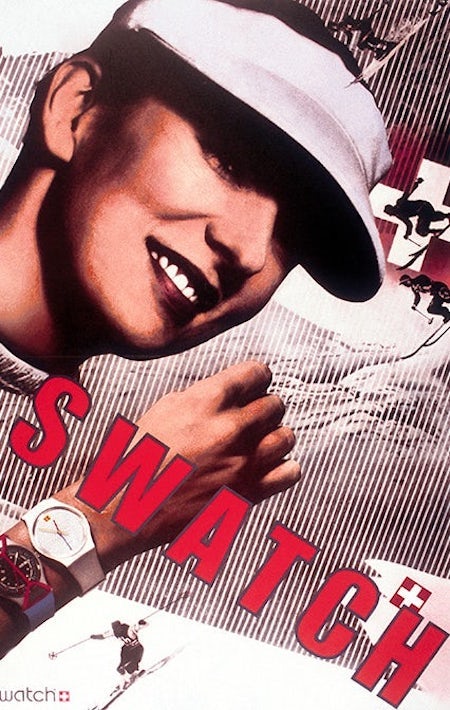
Paula Shcher poster design with bold typographyPaula Shcher poster design with bold typography
Photo of Michael Bierut
via Pentagram

7. Michael Bierut

“If you do good work for good clients, it will lead to other good work for other good clients. If you do bad work for bad clients, it will lead to other bad work for other bad clients.” – Michael Bierut

Michael Bierut is another partner at Pentagram and his clients have included Disney, the New York Jets and Hillary Clinton.

Michael Bierut poster designs
via AIGA

8. Kate Moross

“The key to great ideas is not having them, it is executing them. And great ideas come from problems. As designers we call problems, briefs and we call reactions to problems, concepts.” – Kate Moross

Kate Moross is an illustrator known for their dynamic hand-lettering and vibrant colors. They have contributed designs for brands like Vogue and Cadburys.
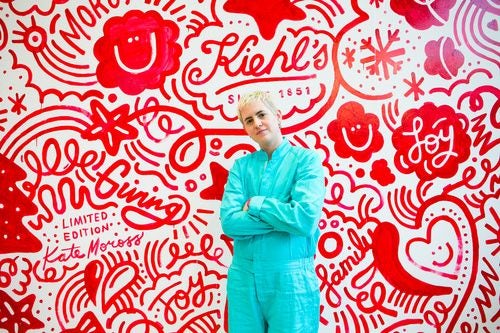
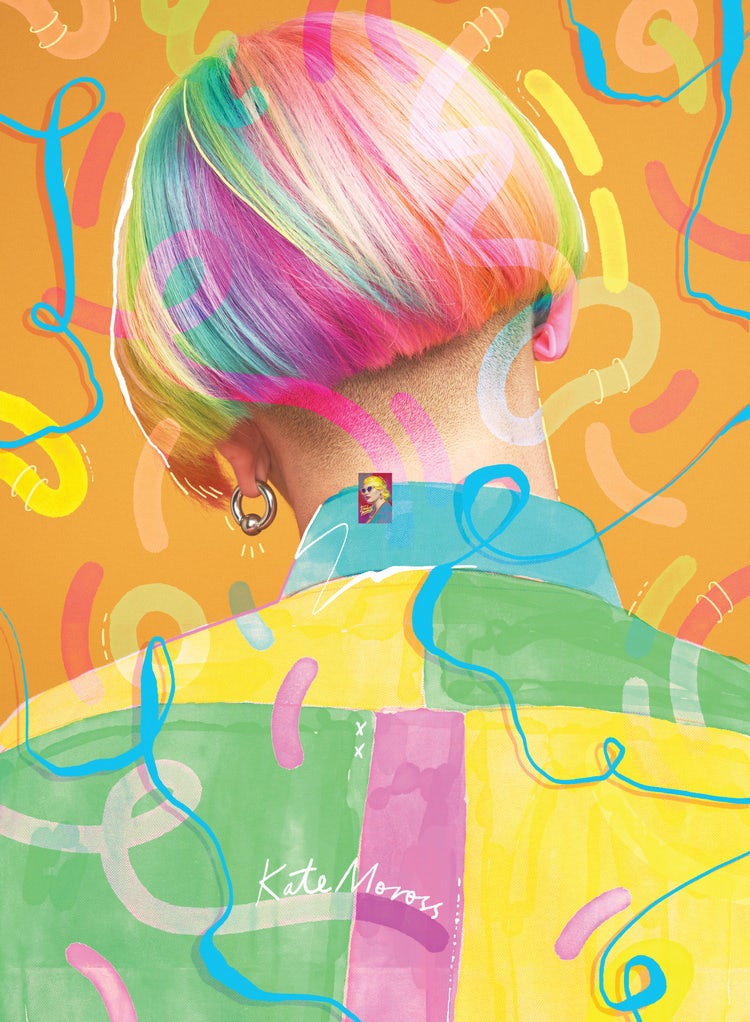
Photo of Kate Moross
via Kate Moross
Kate Moross colorful poster designKate Moross colorful 3D hand-lettering

9. Chip Kidd

“If you can properly define the problem, then you’ve already defined the solution as well.” – Chip Kidd

Chip Kidd is the associate art director at Knopf and a prolific book cover designer, having worked on everything from classic graphic novels to Jurassic Park.
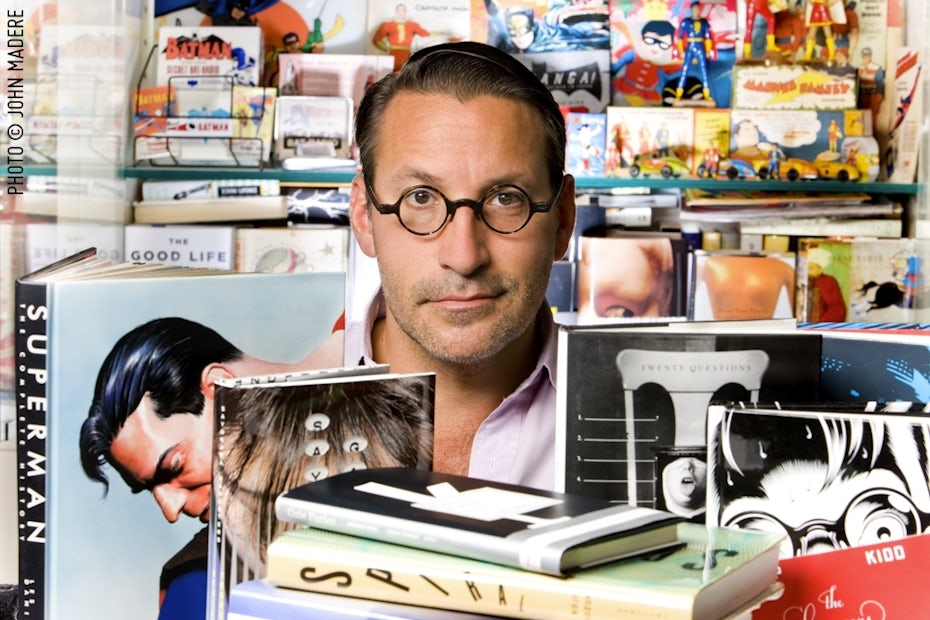
Photo of Chip Kidd
via chipkidd.com
Batman: The Dark Knight Returns cover designBlind Willow Sleeping Woman Haruki Murakami book cover design

10. Marian Bantjes

“But I find that for myself, without exception, the more I deal with the work as something that is my own, as something that is personal, the more successful it is.” – Marian Bantjes

Marian Bantjes has been associated with both Pentagram and Stagmiester, INC, and she is recognized by her baroque patterns and decorative style.

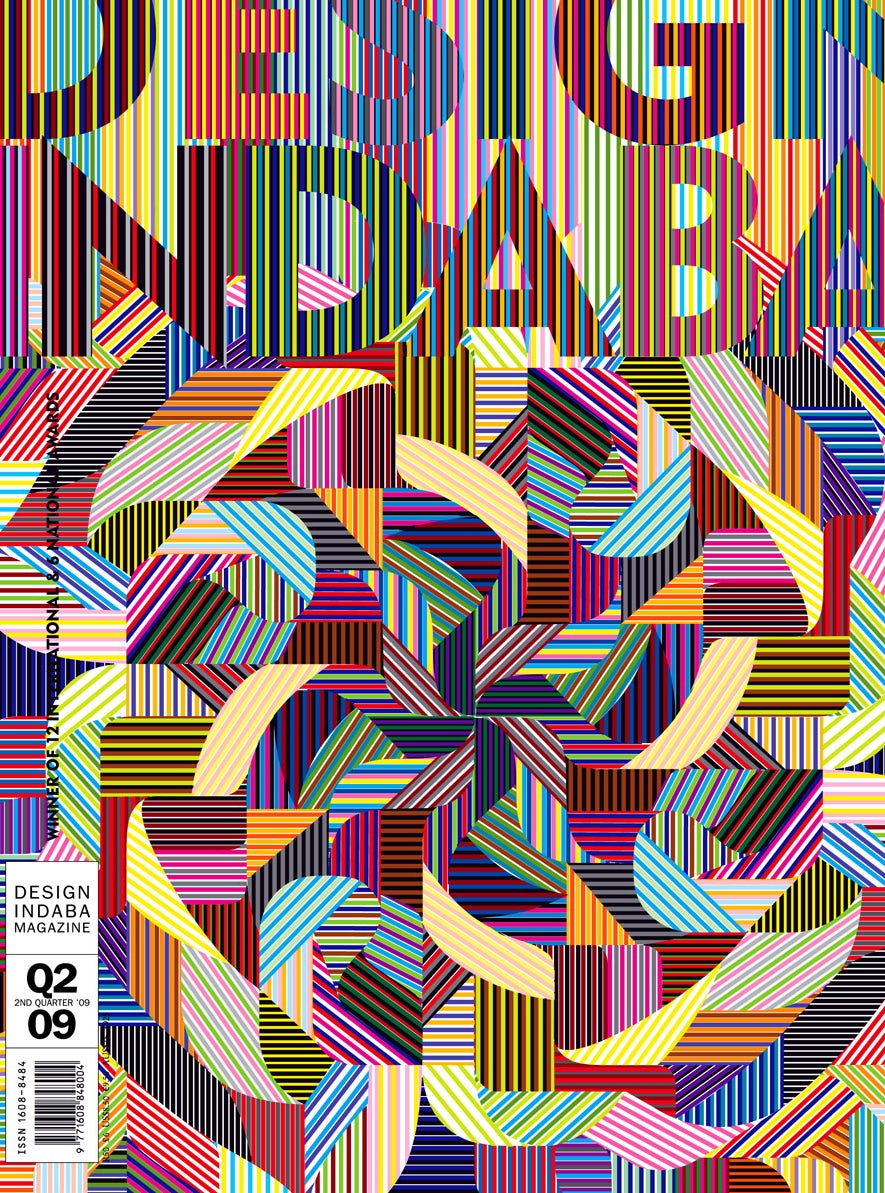
Photo of Marian Bantjes
via bantjes.com
Marian Bantjes colorful patterned magazine coverMarian Bantjes patterned magazine cover for GQ

11. Paul Rand

“The public is more familiar with bad design than good design. It is, in effect, conditioned to prefer bad design, because that is what it lives with. The new becomes threatening, the old reassuring.” – Paul Rand

Paul Rand was the designer behind a whole range of venerable brands, among them IBM, UPS, and ABC.
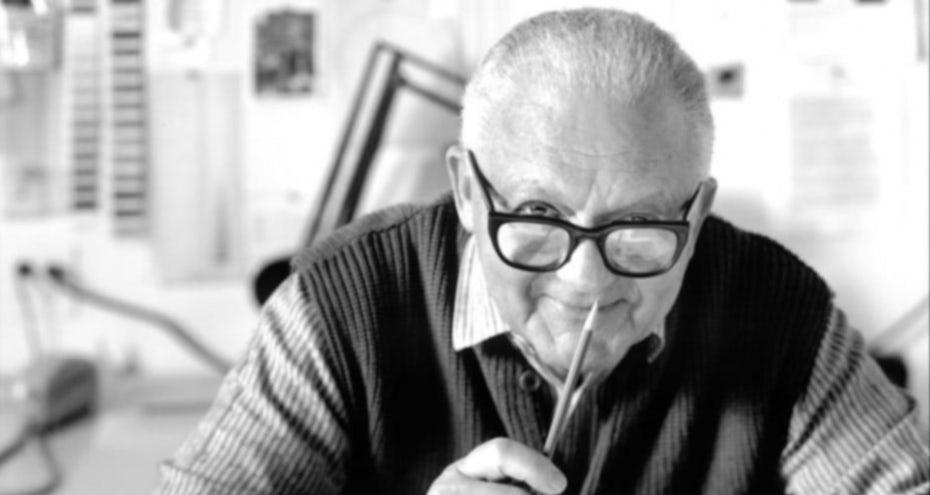
Photo of Paul Rand
via paulrand.design
A compilation of Paul Rand’s logos
via paulrand.design

12. Neville Brody

“Digital design is like painting, except the paint never dries.” – Neville Brody

Neville Brody has worked as art director for magazine and album covers, working with a range of artists that include Depeche Mode and the Bongos.

Photo of Neville Brody
via Brody Associates
Editorial design by Neville Brody
via Brody Associates

13. Petrula Vrontikis

“What the visionaries had in common was a particular love of craft and a desire to play.” – Petrula Vrontikis

Petrula Vrontikis is a designer, educator and leading industry voice, serving on the board for American Institute of Graphic Arts and teaching design at the Art Center College of Design.
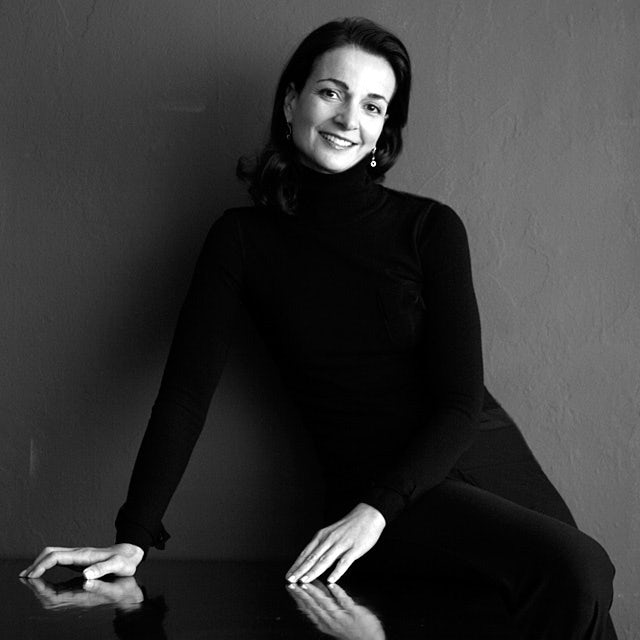
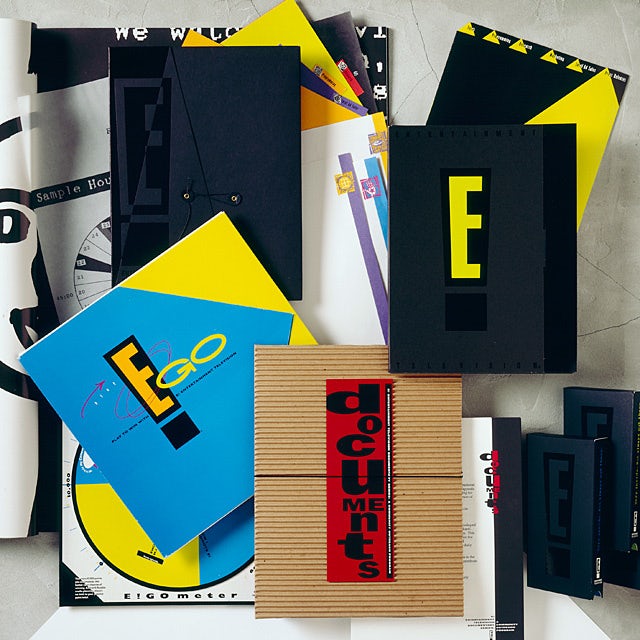
Photo ofPetrula Vrontikis design

14. Saul Bass

“I want to make beautiful things, even if nobody cares, as opposed to ugly things. That’s my intent.” – Saul Bass

Saul Bass was an iconic graphic designer known for his paper cut-out style and the title animation sequences in movies like Psycho and Vertigo.

Photo of Saul Bass
via Saul Bass Poster Archive
The Shining poster design by Saul BassVertigo poster design by Saul Bass

15. David Carson

“Graphic design will save the world right after rock and roll does.” – David Carson

David Carson is the graphic designer best known for pioneering “grunge typography,” particularly in the print world with alternative music magazines like Ray Gun.
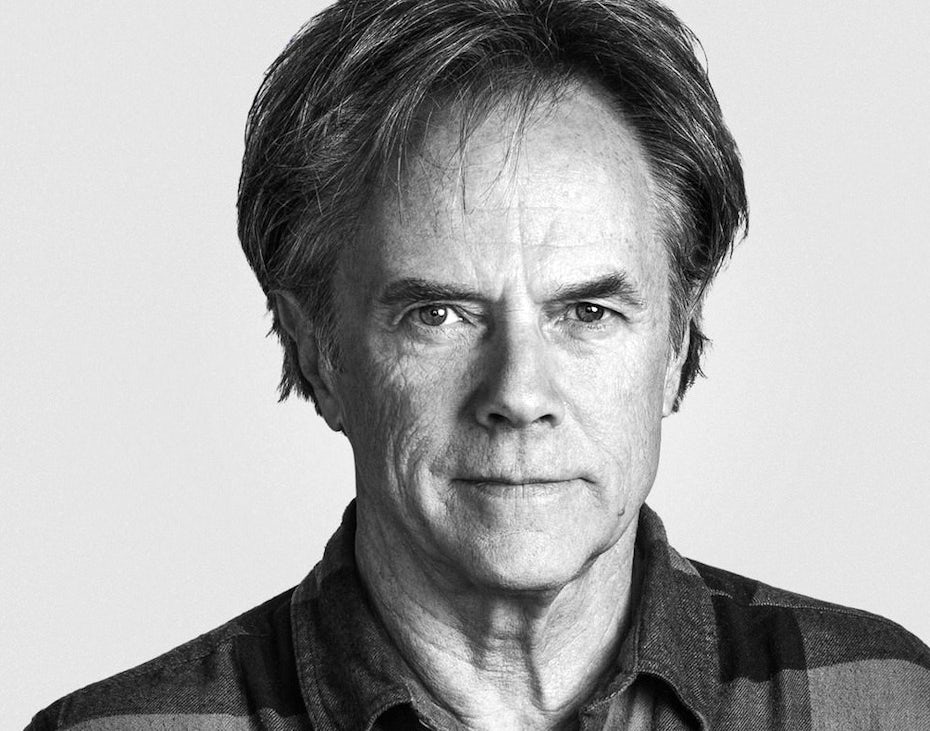
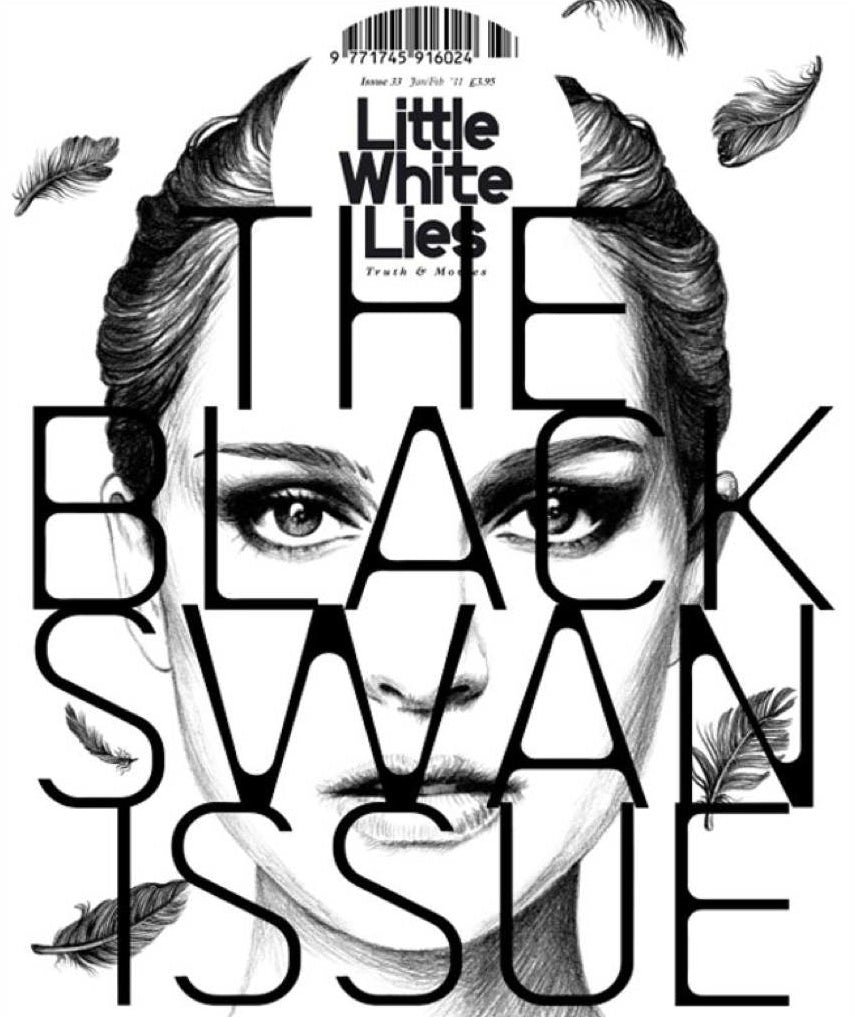
Photo of David Carson
via davidcarsondesign.com
Magazine design with bold typographyMusic festival poster design

16. Jessica Hische

“To be a good artist / letterer / designer / guitar player, it takes practice. A lot of it. More than you can even fathom when you’re starting out.” – Jessica Hische

Jessica Hische is a hand-letterer and logotype designer who has worked with Penguin Books, the California Sunday Magazine and contributed lettering to the films like Wes Anderson’s Moonrise Kingdom.

Photo of Jessica Hische
via Jessica Hische
Book cover design by Jessica HischePoster design by Jessica Hische

17. Frank Chimero

“Good design is all about making other designers feel like idiots because that idea wasn’t theirs.” – Frank Chimero

Frank Chimero is a brand designer and collage artist whose clients include Adobe, Facebook, and Nike.

Photo of Frank Chimero
via Frank Chimero
Illustrations by Frank ChimeroIllustrations by Frank Chimero

18. April Greiman

“I like to step into areas where I am afraid. Fear is a sign that I am going in the right direction.” – April Greiman

April Greiman is known as one of the early adopters of computer technology in graphic design and her work speaks to the strangeness and limitless possibility these technologies embody.

Photo of April Greiman
via USC
Colorful poster design by April GreimanColorful poster design by April Greiman
Photo of Lindon Leader
via Leader Creative

19. Lindon Leader

“I strive for two things in design: simplicity and clarity. Great design is born of those two things.” – Lindon Leader

Lindon Leader is the creative mind behind classic logos for brands like Avery and FedEx.

A compilation of logos by Lindon Leader
via Leader Creative

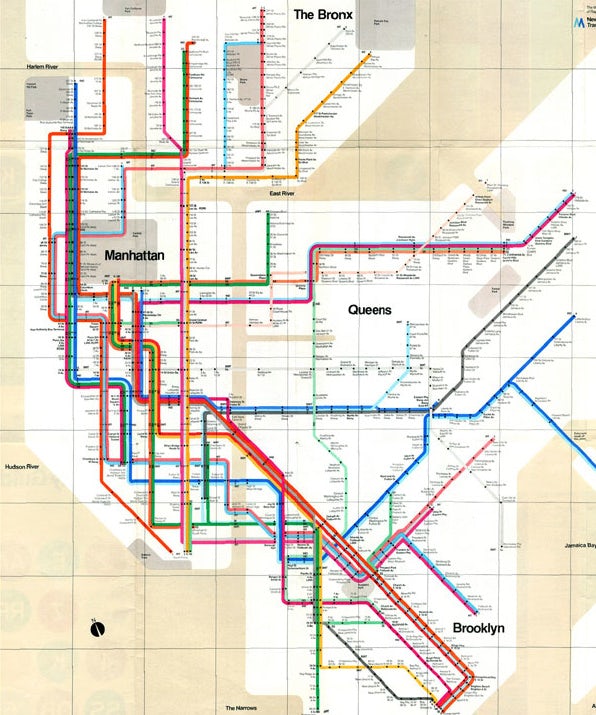
20. Massimo Vignelli

“The life of a designer is a life of fight. Fight against the ugliness. Just like a doctor fights against disease. For us, the visual disease is what we have around, and what we try to do is cure it somehow with design.” – Massimo Vignelli

Massimo Vignelli was a modernist designer known for developing identities for brands like American Airlines and creating the signage and maps for the New York subway system.

Photo of Massimo Vignelli
via Wikimedia Commons
Poster design by Massimo VignelliThe New York transit map, designed by Massimo Vignelli

21. Herb Lubalin

“You can do a good ad without good typography, but you can’t do a great ad without good typography.” – Herb Lubalin

Herb Lubalin was an iconic hand-letterer and type designer known for the font ITC Avant Garde and the curving, emphatic lettering that came to define 70s type.

Photo of Herb Lubalin
via Famous Graphic Designers
A compilation of Herb Lubalin’s logo designs
via humanbeing.co

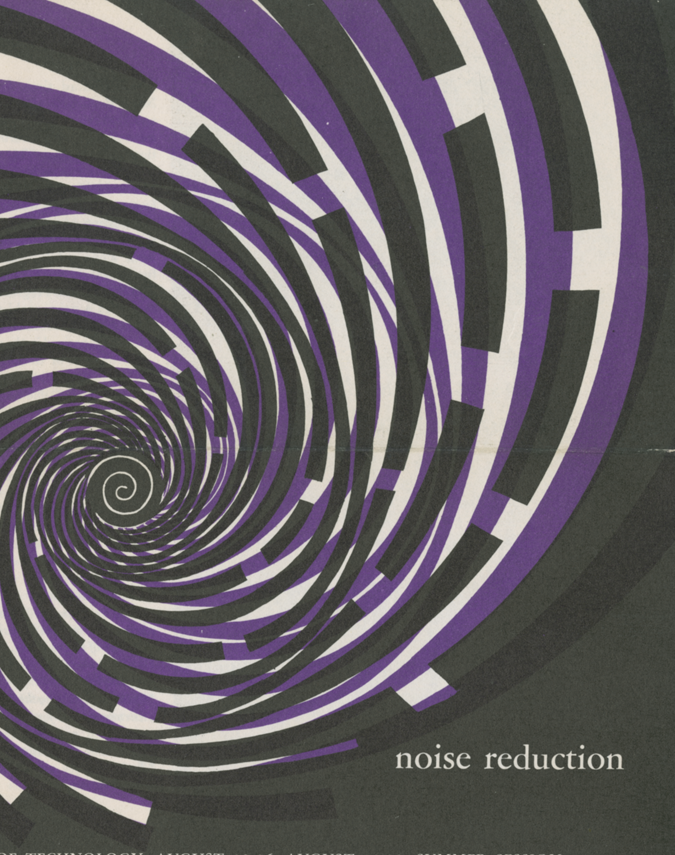
22. Muriel Cooper

“Information is only useful when it can be understood.” – Muriel Cooper

Muriel Cooper was a digital designer and art director of MIT Press. She was known for embracing electronic communication and for distilling complex digital data into digestible and stunning visuals.
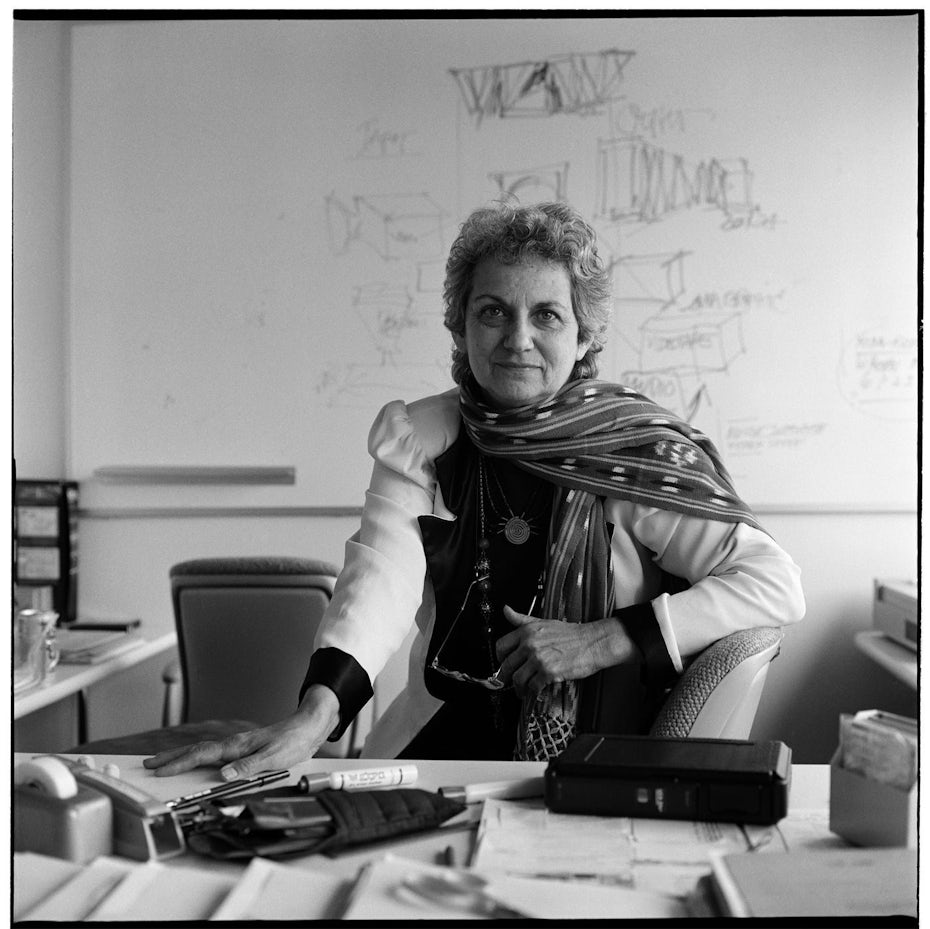
Photo of Muriel Cooper
via MIT Media Lab
Muriel Cooper poster designMIT Muriel Cooper design

Famous graphic design quotes speak louder than words

Now that you’ve read some of the great quotes from famous graphic designers out there, you might realize one thing: no two are alike. Each designer faces unique challenges in their career, and each takes a unique approach to deal with them.

While there’s no telling what problems you might face, think of these quotes as friendly signposts expertly hand-painted by your fellow designers just looking to help on your way.

Need a great design for your brand?
Our designers can help you create just about anything.

This article was originally published in 2013. It’s been updated with new information and examples.

The post 22 famous graphic design quotes to inspire you appeared first on 99designs.

Wednesday, January 1, 2020

The best graphic design software of 2020

Graphic design is all about the software. Sure, a talented designer can make something beautiful out of Microsoft Paint. But the intuitive controls and flexibility of a good program can make all the difference. So, which graphic design software is right for you?

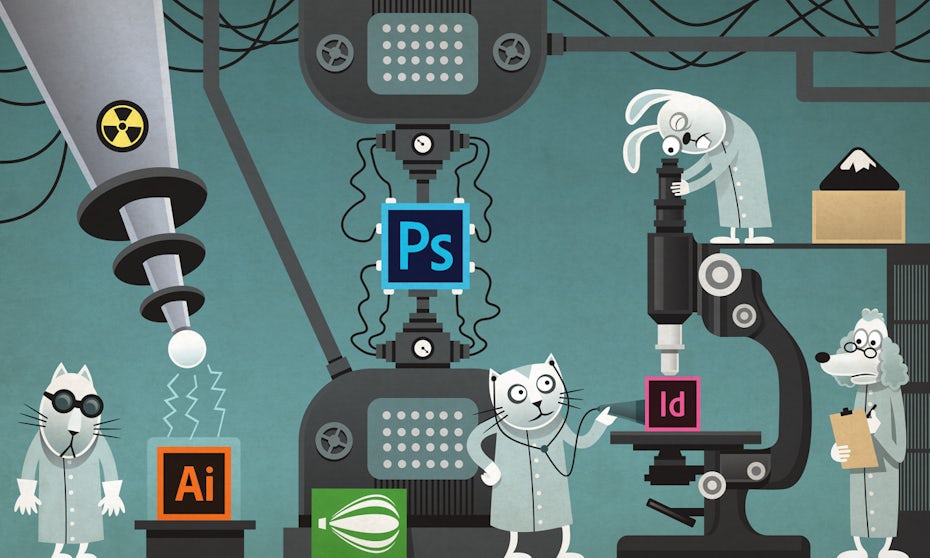
illustration of cats examining design program logos using different machines
Which design software is right for you? We’re taking a closer look at the most popular options. Illustration by Vladanland

For designers, software becomes an extension of their artistic abilities. They memorize keyboard shortcuts, become familiar with layouts and generally treat their favorite software as a second language. Having an intuitive and flexible program is important.

So, which design software should you choose? Are you looking for the flexibility and expensiveness of Photoshop, or are you looking for something more simple—and inexpensive?

Don’t fret. We’ve reached out to some of our favorite designers to get their opinions on the best graphic design software of 2020. Here’s what we found.

Best paid graphic design programs

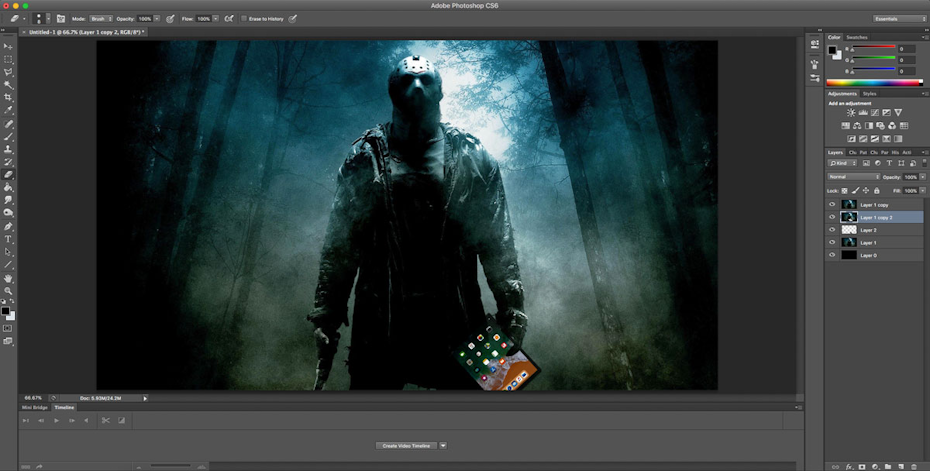
Adobe Photoshop

Adobe Photoshop interface
Image via Engadget

Adobe Photoshop is easily the most recognizable of the graphic design software. From basic cropping that your grandmother could figure out to more complex raster designs, when it comes to image manipulation Photoshop can do it all. Photoshop is known for classic features like the pen tool, layers and masks, but the most recent version adds some cool tricks such as a Frame tool for easy masking and a new Content-Aware Fill workspace. With a potentially limitless skill ceiling, Photoshop is a great graphic design language to start learning.

When it comes to image manipulation Photoshop can do it all.

Best used for: image editing

Cost: Adobe now offers a subscription service for its products with a 30-day trial available. The Photography plan for individuals (lightroom, lightroom classic, Photoshop, 20GB of cloud storage) comes in at $9.99/month, with the full Creative Cloud costing $52.99/month. However, there are different prices for students and teachers, businesses and teachers, and schools and universities.

Skill level required: beginner to advanced

Pros:

  • Nearly limitless skill ceiling
  • Integrated stock library
  • Plenty of design tools for image editing

Cons:

  • Interface can be tough to get used to
  • Less-than-perfect updates
  • Can’t create true vector files

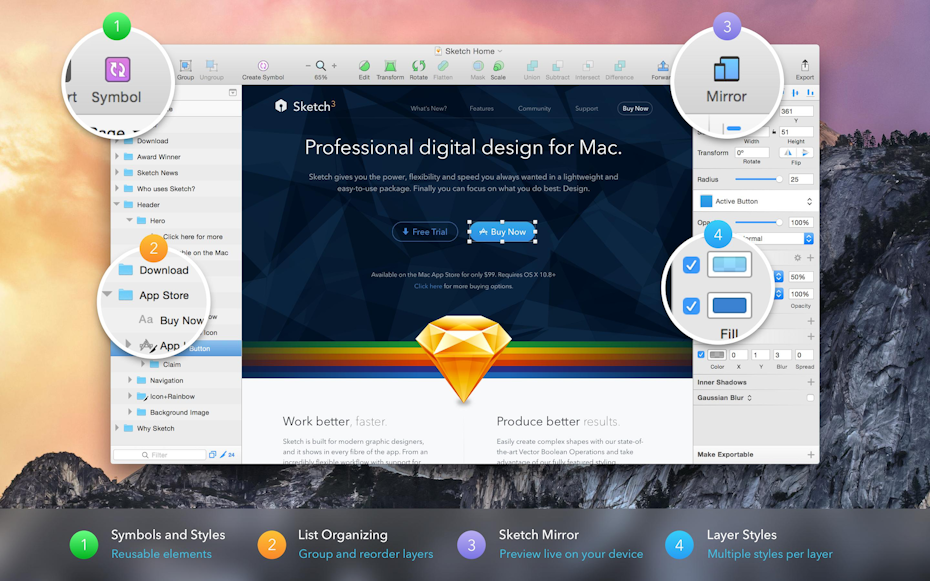
Sketch

Sketch graphic design interface
Image via Stack Exchange

A vector-based tool only available on Mac, Sketch is a program focused mainly on web, app and interface design. It’s recently put a dent in the graphic design competition, with some developers preferring Sketch files from designers rather than layered Photoshop files. Though Sketch isn’t meant for photo editing or print work, it’s great for designing icons and interfaces that you’ll see on websites and mobile apps. Designers can also create live comps that developers can preview by tapping or swiping through to see what they’ll look like once published.

Sketch is great for web, app and interface design.

Best used for: user interfaces

Cost: $99 per year per device

Skill level required: beginner

Pros:

  • Low learning curve
  • Less expensive than other popular programs

Cons:

  • Mac only
  • Not suitable for print designs or illustrations

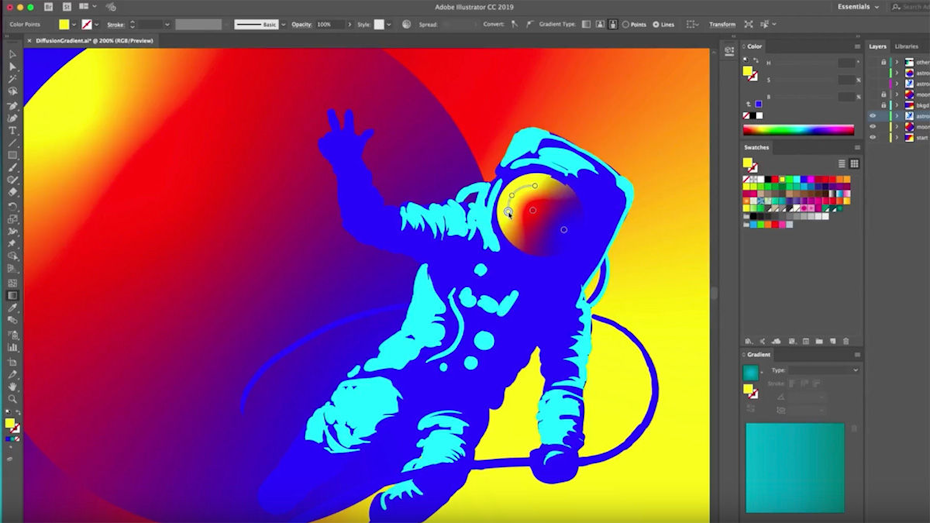
Adobe Illustrator

Adobe Illustrator interface
Image via Digital Arts

Photoshop and Illustrator share some similar tools and functions, but Adobe Illustrator is centered around vector design. Put together beautiful logos, typography, icons and sketches with Illustrator’s mesh tool, pen tool, swatches and colors, or Shape and Pathfinder tools. Though it’ll take some extra time to learn, the nearly limitless potential for creating vector designs is worth the effort.

I mainly use Photoshop and Illustrator. I did away completely with pen and paper, I do all my sketches in Photoshop and then I draw the design in Illustrator, where I also prepare it for animations, if that’s the project.

Best used for: vector images

Cost: Illustrator alone will come in at $20.99/month, with the full Creative Cloud costing $52.99/month.

Skill level required: Advanced

Pros:

  • Helpful user interface
  • Wide variety of tools
  • Supports precise editing

Cons: 

  • Steep learning curve

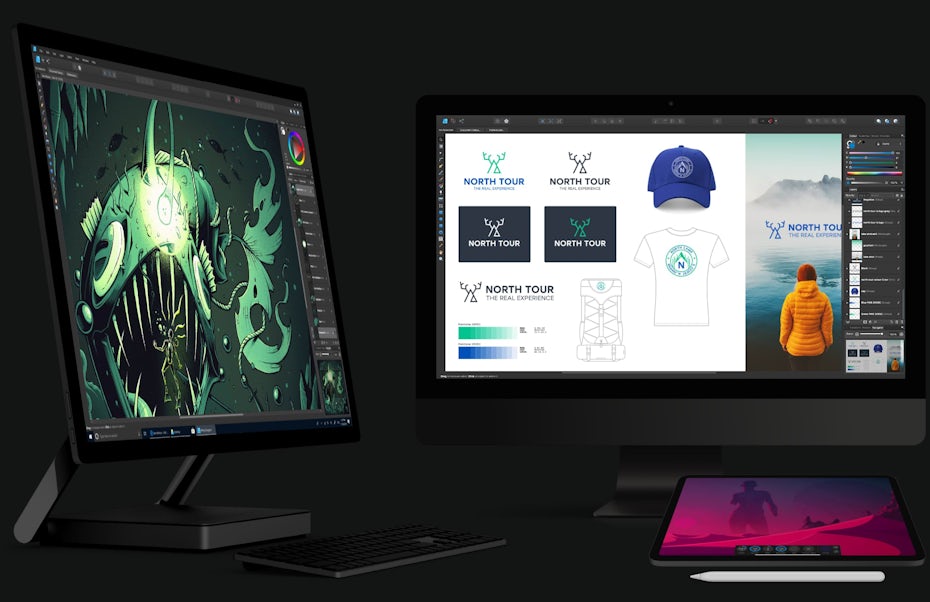
Affinity Designer

affinity designer examples
Via Affinity Designer

In terms of function and style, Affinity Designer is an impressive, low-budget alternative to Adobe Illustrator. Affinity even gets praise for being easier to use and faster that Illustrator, especially when working with layers. It’s suitably simple for beginners to use as a learning tool but sufficiently powerful for freelance graphic artists on a budget.

Affinity also recently got a big upgrade with new features and performance improvements. This software a great option for anyone who doesn’t want to splurge on the Adobe offering, but needs something that performs on a high level.

Affinity Designer is an impressive, low-budget alternative to Adobe Illustrator.

Best used for: Vector files

Cost: $49.99

Skill level required: beginner to advanced

Pros: 

  • Easy to get started
  • Fast
  • Much less expensive than the big guys

Cons: 

  • A few tools that Illustrator offers aren’t available

Adobe InDesign

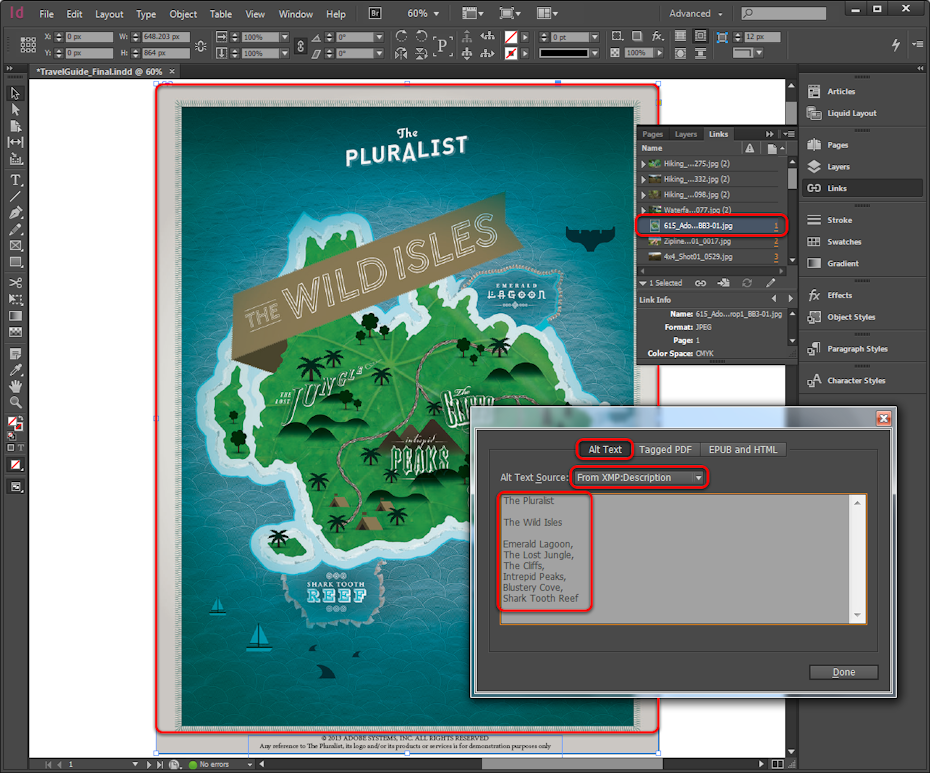
Adobe InDesign interface
Image via Adobe

A must-have for the publishing community, Adobe InDesign has been used for laying out magazines and newspapers since 1999. Put together stunning magazines, info sheets and brochures and easily export them to PDF or HTML. Though it’s kind of a one-trick pony, InDesign has a low learning curve and is great for newbies learning how to combine text and graphics.

InDesign is great for laying out magazines, postcards, flyers and print.

Best used for: publishing layouts

Cost: InDesign itself is $20.99/month and the full Creative Cloud costs $52.99/month.

Skill level required: beginner to advanced

Pros: 

  • Undisputed champ of publishing industry
  • Intuitive cropping and resizing features
  • Huge selection of fonts

Cons: 

  • Some complaints with PDF formatting

Best free graphic design software

GIMP

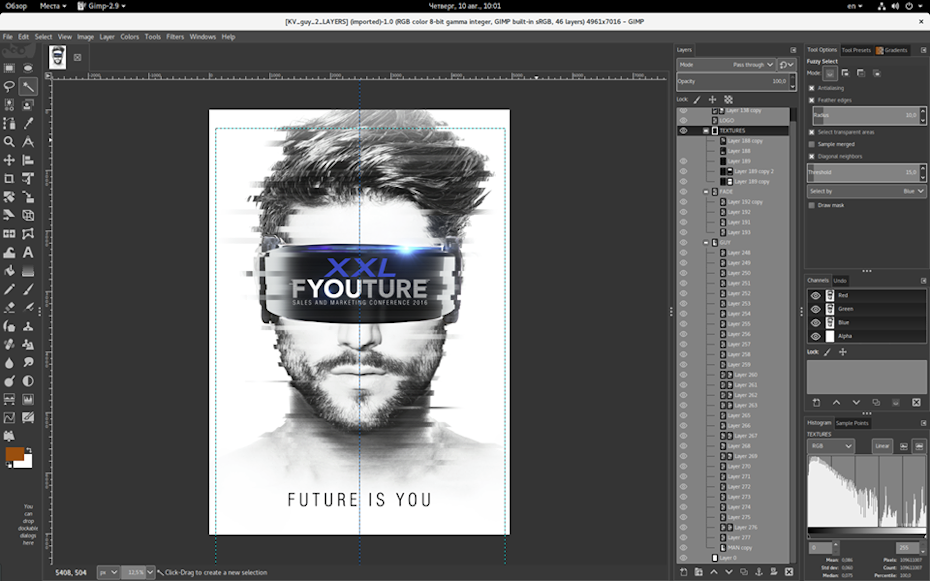
GIMP interface
Image via Capterra

Perhaps the most popular open-source, free raster graphics editor, GIMP (GNU Image Manipulation Program) has many of the same features that paid-for programs have. Though its layout isn’t as sexy as, say, Photoshop, you still get the advanced photo retouching, drawing and cropping capabilities of the better-known programs.

Best used for: raster images

Skill level required: beginner

Pros: 

  • Good community
  • Plenty of tools for a free program

Cons: 

  • Not as quickly updated as other programs
  • Less recognized
  • Not as intuitive to use

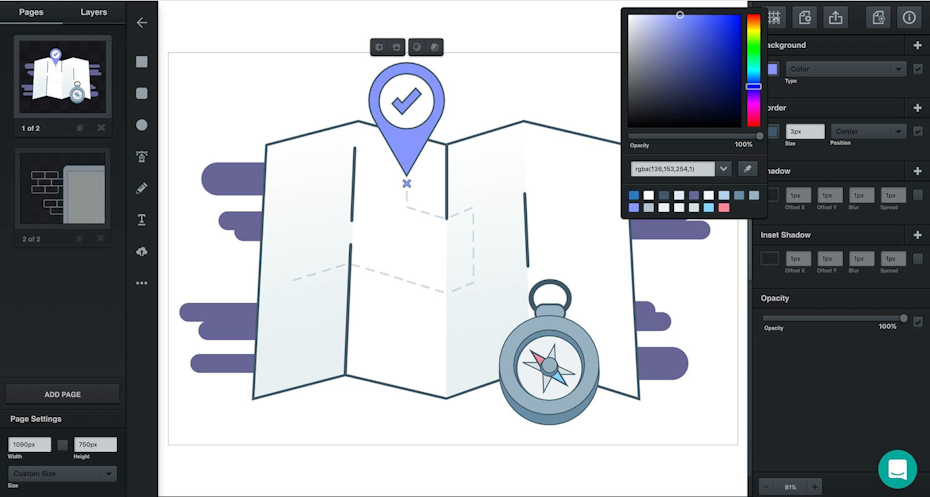
Gravit Designer

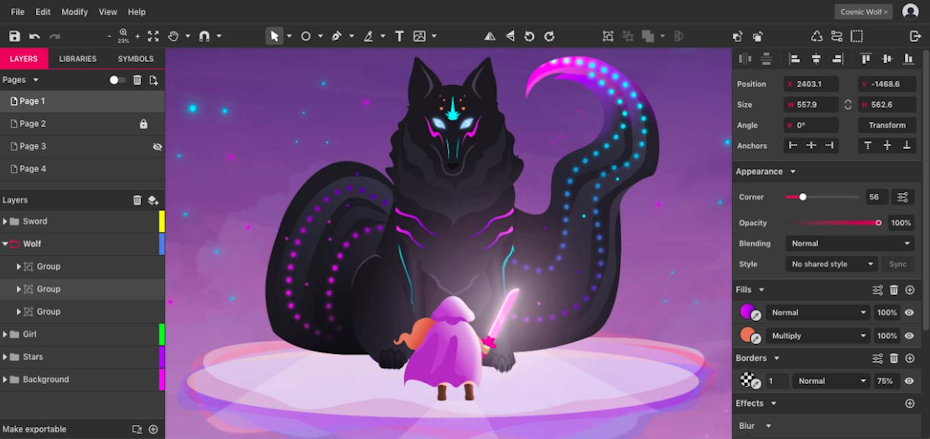
Gravit Designer interface
Image via Gravit Designer

Gravit Designer is a free vector design application that’s great for logo making, photo manipulation, illustrations and animations. You can use Gravit online with their cloud-based software—though some reviews claim that it runs a bit slower than the locally-installed version. The layout is sleek and fully customizable, but Gravit Designer Pro is no longer free ($49 per year).

Gravit is great for logo making, photo manipulation, illustrations and animations.

Best used for: vector images

Skill level required: beginner

Pros: 

  • Plenty of features and capabilities
  • Cloud program is great

Cons: 

  • Free version not nearly as effective as Pro

Inkscape

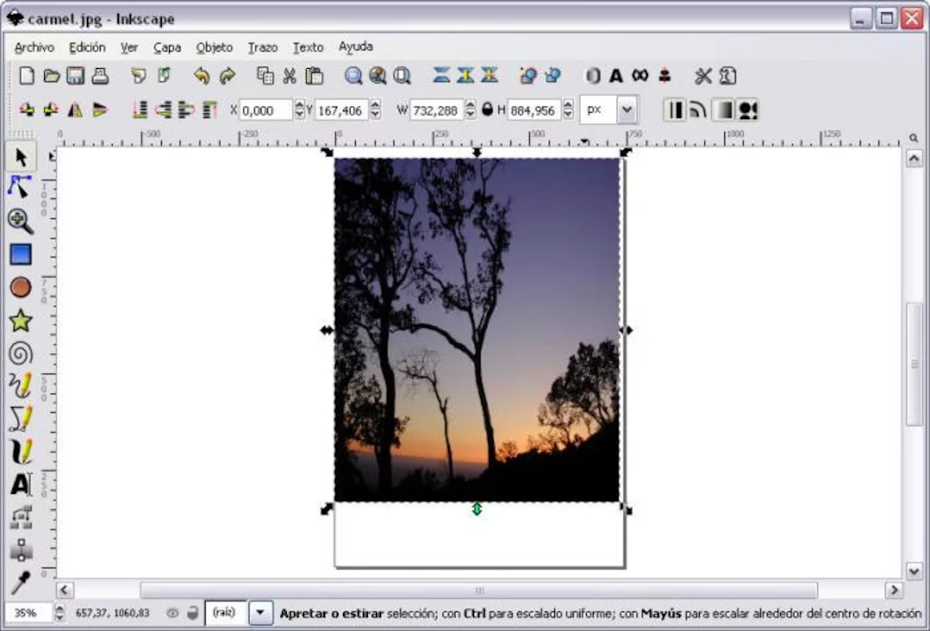
Inkscape interface
Image via Softonic

There’s something beautiful about a good community. Inkscape’s user base is passionate and helpful, with this cross-platform software bringing out the best of open-source design. Users can put together good-looking graphics and designs with the breadth of learning resources available. However, a steep learning curve, clunky interface and less-than-stellar Mac version keep Inkscape from being a perfect program.

Best used for: vector images and SVG file format

Skill level required: advanced

Pros: 

  • Lots of filters
  • Helpful website and community

Cons: 

  • Can run slow
  • Steep learning curve

Vectr

Vectr interface
Image via Medium

Accessed through your web browser or its standalone app, Vectr is great for designing (you guessed it) vector images. For high-end designers, Vectr likely doesn’t have all of the features you’ll want. But casuals and amateurs alike will find the low learning curve attractive. Plus, there are dozens of tutorials available on their website for newbies.

Beginners will find Vectr’s low learning curve attractive.

Best used for: vector images

Skill level required: beginner

Pros: 

  • Very beginner friendly
  • Good selection of tutorial videos

Cons: 

  • A bit limited in capabilities
  • Clunky sign-up process

Bonus design programs


There are always new programs, apps and tools to help designers with sketching, modeling and other tasks. Here are a few that our community recommended:

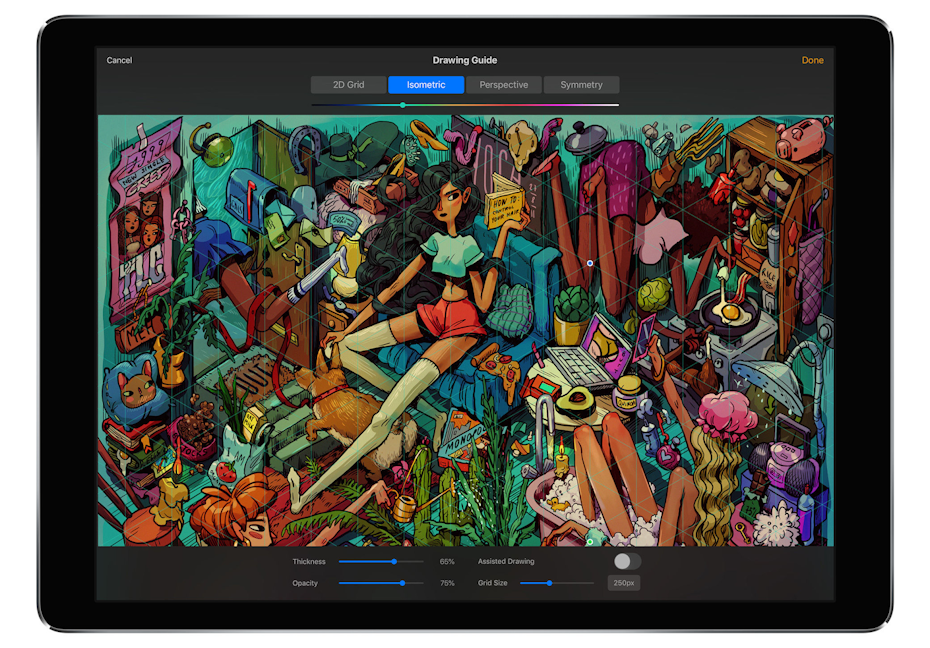
Procreate—iPad program for sketching on the go

Procreate on iPad
Image via Digital Arts

Has inspiration struck while riding the subway? Procreate lets designers put down quick sketches while on the go. With more than 130 brushes, it’s a great tool to have in the arsenal (and only costs $9.99).

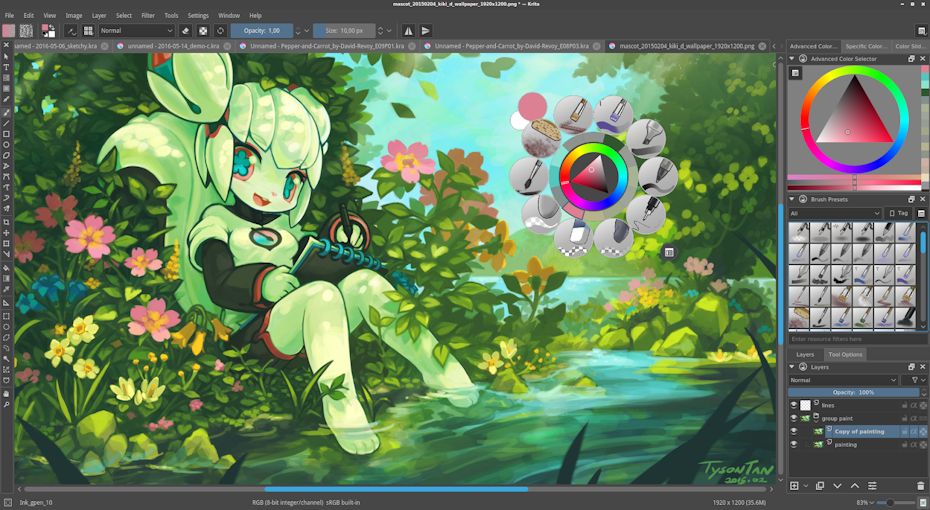
Krita—free and open-source raster graphics editor

Krita interface
Image via KDE

A free sketch and painting program, Krita is great for comics and manga and was ranked #1 free painting software by TechRadar in 2020.

Canva—drag-and-drop online editor

Canva interface
Image via Canva

Canva is a starting point for anyone with no prior design knowledge at all, looking to create something quickly and easily. It offers a wide selection of templates, fonts and images, some of which are free to use, others need to be purchased. Choose from existing templates or create your own from scratch, then use Canva’s drag-and-drop editor. Sure, it won’t offer the customization potential of Photoshop, but it’s a great alternative for absolute beginners. Canva uses the freemium business model, meaning you’ll need to upgrade to the pro version to get all the bells and whistles.

Scribus—free InDesign alternative

Scribus interface
Image via Zwodnik

Scribus is an open-source desktop publishing program. Though not nearly as good-looking and expansive as InDesign, it’s a good substitute if you’re in a pinch.

Autodesk SketchBook—free sketch software

autodesk sketchbook example sketch
Via SketchBook

SketchBook is a great program if you want to quickly sketch ideas and create conceptual sketches, drawings and artwork—and it’s completely free.

Get serious about your art with the perfect graphic design software

Choosing the “best” graphic design software is always tricky, as it’s really a matter of opinion and depends on what exactly you want to create. Every designer needs to decide for themselves what software works best for their design style, needs, medium and, of course, client. But there’s always new design software to discover. Stay on top of all the options out there and give them a shot! Maybe you’ll find a new favorite design program that’s perfect for you and your art.

Looking to kickstart your graphic design career? Join our community of amazing designers.

Need something designed?
Our designers can help you create just about anything.

The post The best graphic design software of 2020 appeared first on 99designs.